Thursday, 23 October 2025
![]() |
| Learn Ethical Hacking & Cybersecurity |
This field is all about understanding tricks and scams from a defensive perspective to protect people and companies. It's a highly respected and well-paid career.
· Free Resources to Start:
· TryHackMe: A beginner-friendly platform with guided paths to learn cybersecurity.
· Hack The Box: A more advanced platform for practicing penetration testing skills in a legal environment.
· Cybrary: Offers free courses on IT and cybersecurity fundamentals.
· YouTube Channels: Look for channels like "NetworkChuck," "John Hammond," and "The Cyber Mentor" for ethical hacking tutorials.
Saturday, 17 July 2021

০৪. চতুর্থত ইউটিউবের সবচেয়ে জনপ্রিয়
ফিচার ইউটিউব মিউজিক প্রিমিয়াম। মিলিয়ন মিলিয়ন গান শুনতে পারবেন কোনরকম
অ্যাড বা বিজ্ঞাপন ছাড়া। যেকোন গান ডাউনলোড করতে পারবেন এবং পরবর্তীতে
অফলাইনে শুনতে পারবেন। ব্যাকগ্রাউন্ড সিস্টেম করে অডিও আকারে।
এছাড়াও আরো অনেক সুবিধা ভোগ করতে পারবেন।
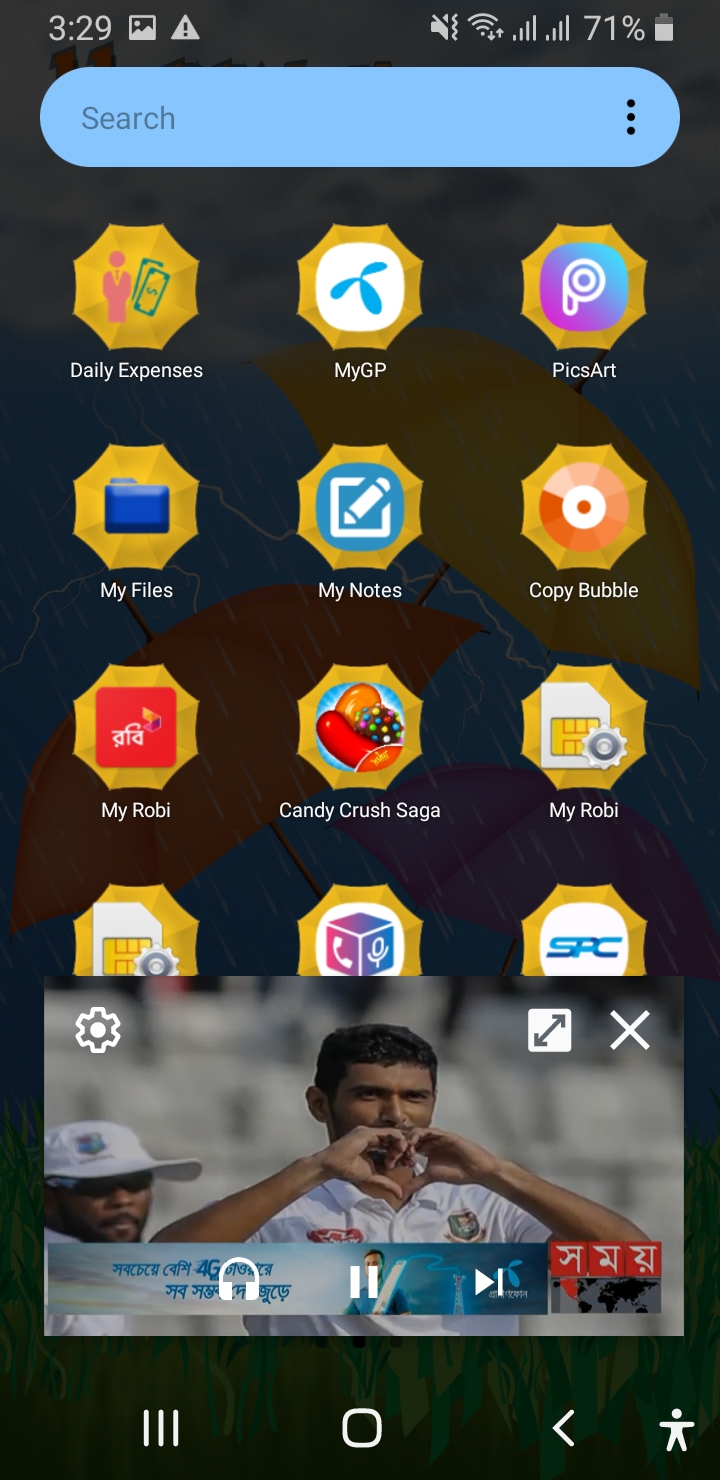
যেমন এর মধ্যে সচারচর একটা বিষয় হলো আপনি যখন ইউটিউব অ্যাপটি ব্যবহার
করবেন। অর্থাৎ হোম পেজে থাকবেন। তখন ভিডিও প্লে বা চালু না করলেও অটো ভিডিও
চলতে থাকবে। যার ফলে আপনি ভিডিও প্লে না করেই ভিডিওর পুরো বিষয়টি বুঝে
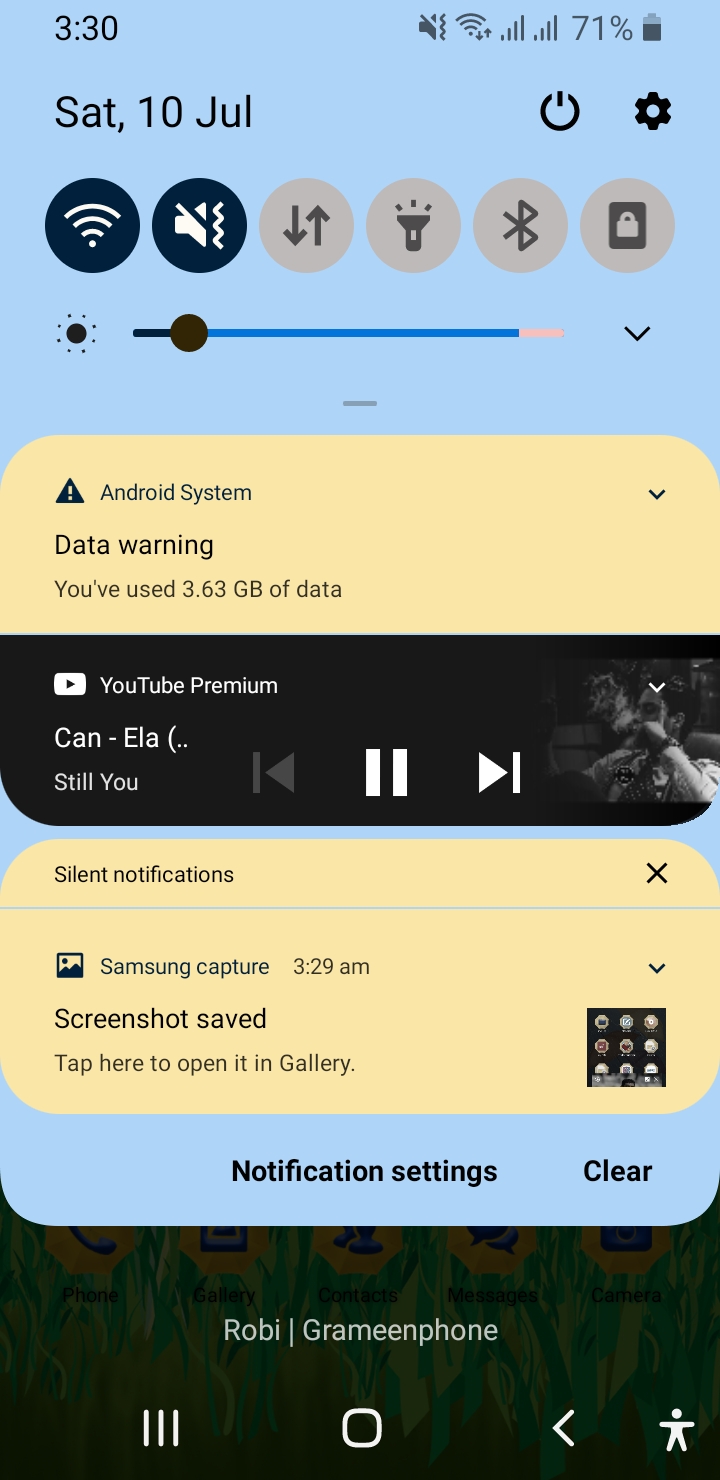
যেতে পারবেন। এছাড়াও ব্যাকগ্রাউন্ডে প্লে করার সিস্টেম থাকাতে আপনি আপনার
মোবাইল লক করেও ইউটিউব থেকে যেকোন গান বা অন্যকিছু শুনতে পারবেন। এইরকম আরো
অনেক সুবিধা পাবেন অ্যাপটি ব্যবহার করলে।
সর্বশেষ সাবধানতার জন্য বলে রাখি, অবশ্যই
অ্যাপটিতে কোন জিমেইল অ্যাকাউন্ট বা আইডি ব্যবহার করবেন না। যদি ব্যবহার
করে থাকেন এবং গুগল কর্তৃপক্ষ বিষয়টি বুঝতে পারে যে, আপনি কোনরকম টাকা পয়সা
তাদেরকে না দিয়ে ফাকি দিচ্ছেন। তাহলে হয়তো তারা আপনার অ্যাকাউন্টটি
আজীবনের জন্য ব্যান বা বাতিল করে দিতে পারে। তাই আমি বলব, সাধারণ একটা
আলাদা করে জিমেইল অ্যাকাউন্ট তৈরি করে নিতে পারেন। এই অ্যাপটিতে ব্যবহার
করার জন্য। কারণ আইডি থাকলে কিছু সুবিধা ভোগ করা যায়।Tuesday, 15 December 2020
There are many of us who play Free Fire or other games but we have some common problems
Today is a great day for those who have game lag as their mobile gets hot or there is too much ping
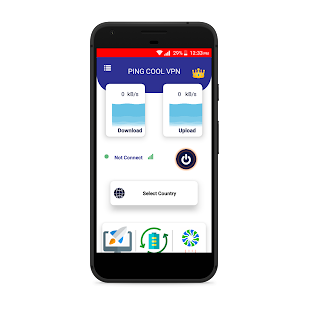
I am sharing an app to solve the ping problem through an app
And you will get the solution of RAM Claire with VPN. There are many features in an app first
Download the app from the Play Store or click here then install
Then open the app
Now there is a switch button for those who have a ping problem while gaming, click on it to turn it on and from here automatically.
Game T will be connected to the IP of the country. Or you can connect the IP of any country if you want
Those Ping problems.
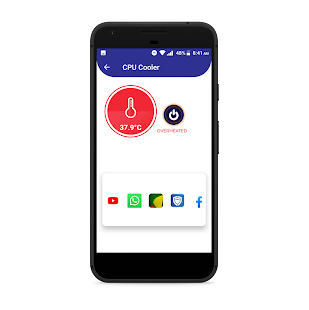
Now look at the 3 icons below.
Those mobiles get hot
Here you can see the temperature of the mobile then click on the switch button that is here
And see how fast the magic cools down the mobile has several features inside an app
Many of these people need this app the most, which means that the heating on the mobile becomes hotter and those who play games
Their app is very useful when the internet speed is low
Sunday, 7 June 2020
এন্টেনা ভিউ এর সুবিধা হলো আপনি দুর থেকেই Enemy এর অবস্থান জানতে পারবেন।
এবং সতর্ক হয়ে খেলতে পারবেন
নিচে App + File Link দেওয়া আছে ডাউনলোড করে নিন।
তো ডাউনলোড কমপ্লিট হলে।
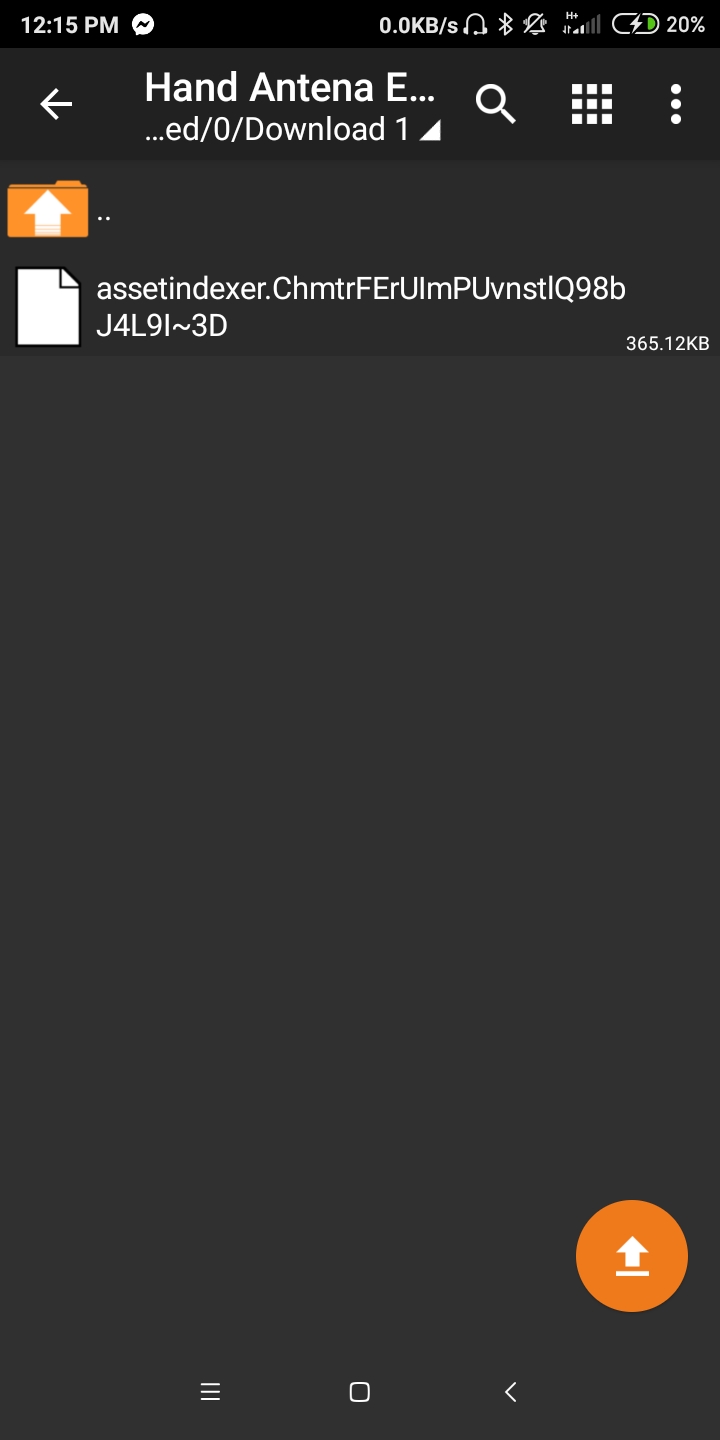
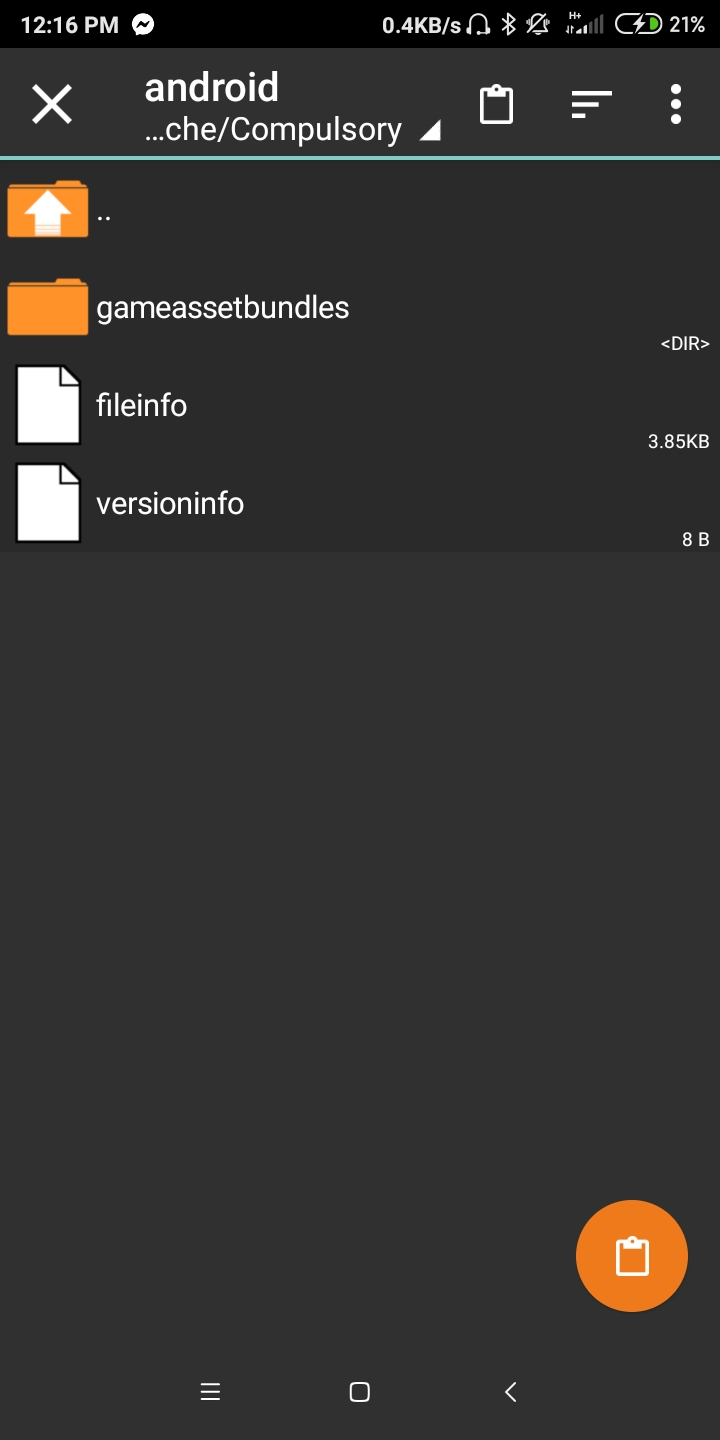
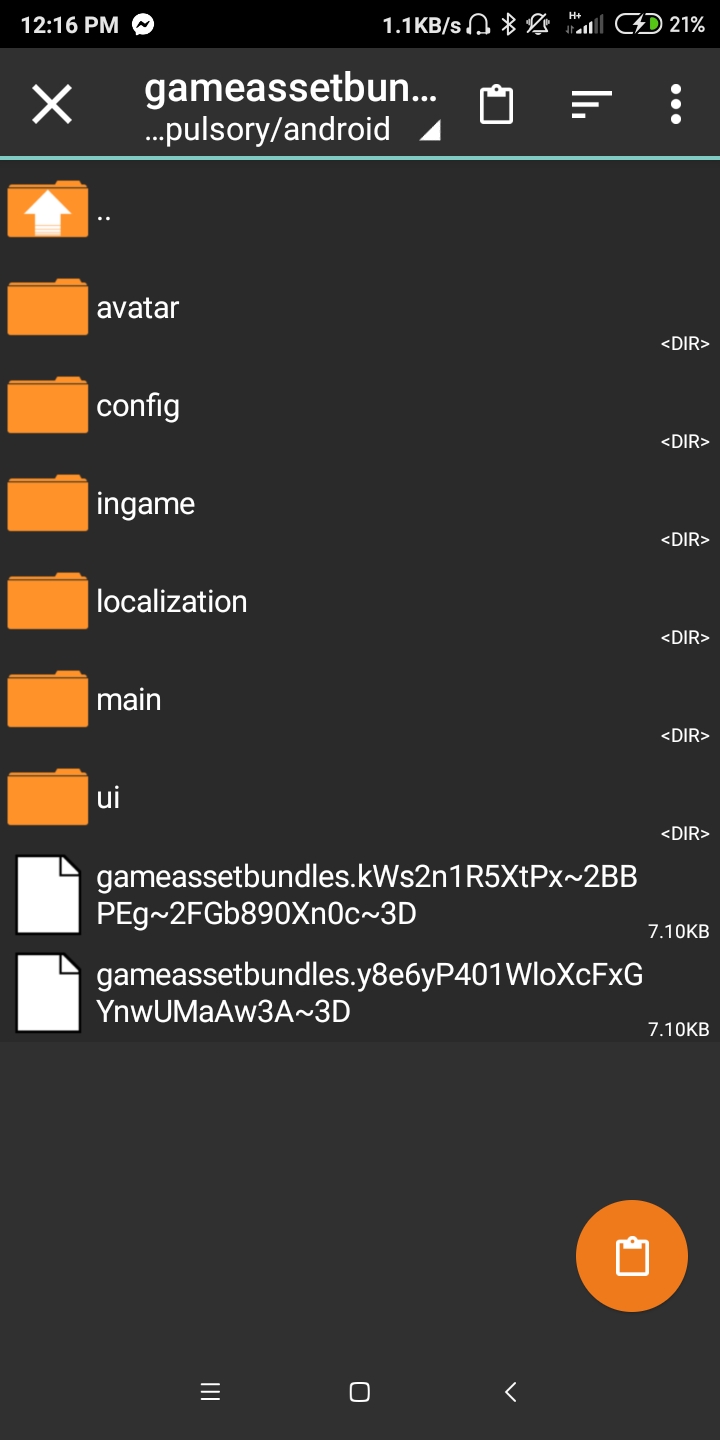
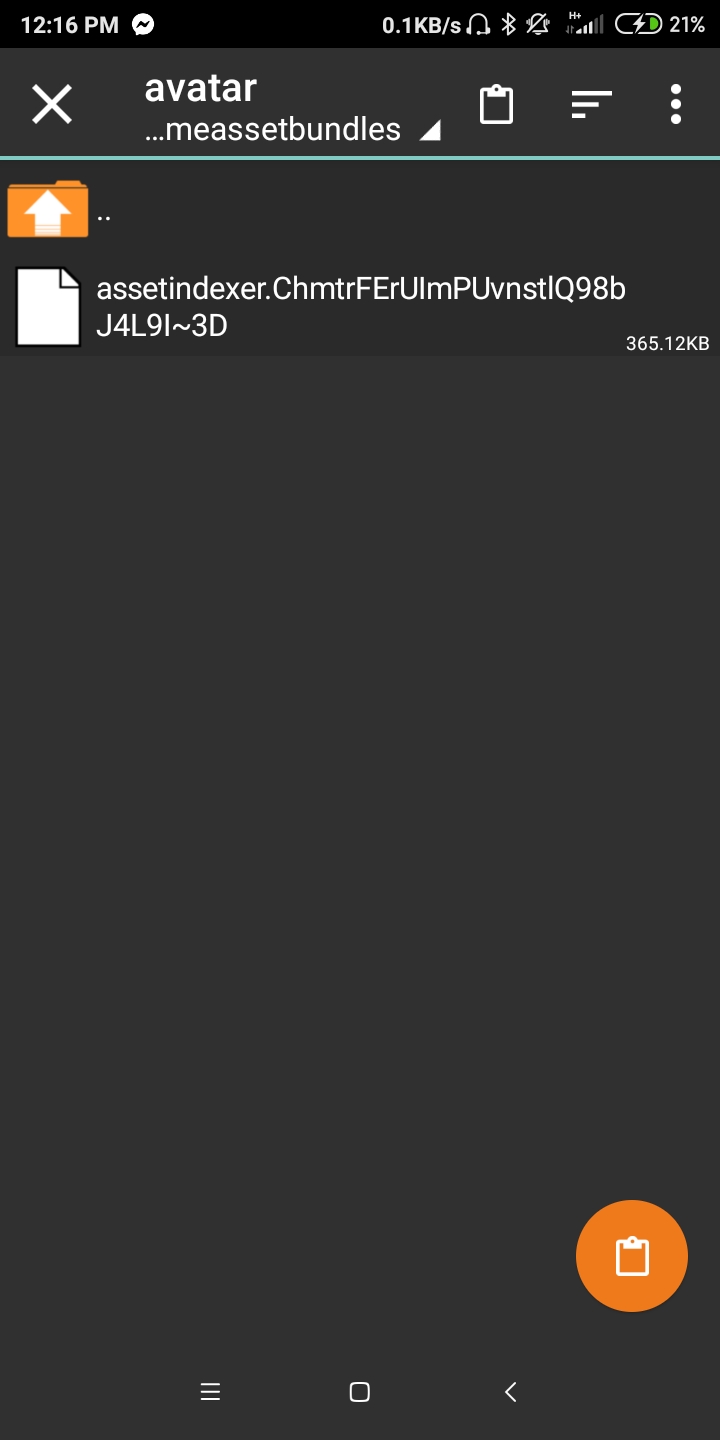
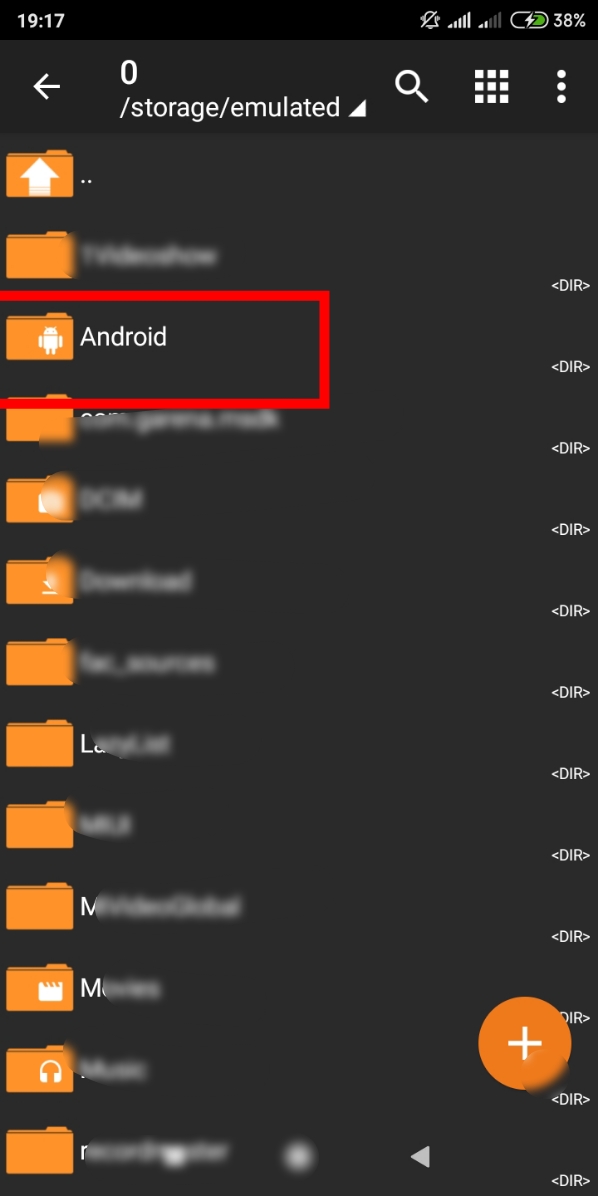
– Zarchiver app টায় ঢুকেন। আপনি Hand Antena File যে Folder এ রাখছেন ওই Folder এ ঢুকেন।
– File টায় ক্লিক করে View করেন।
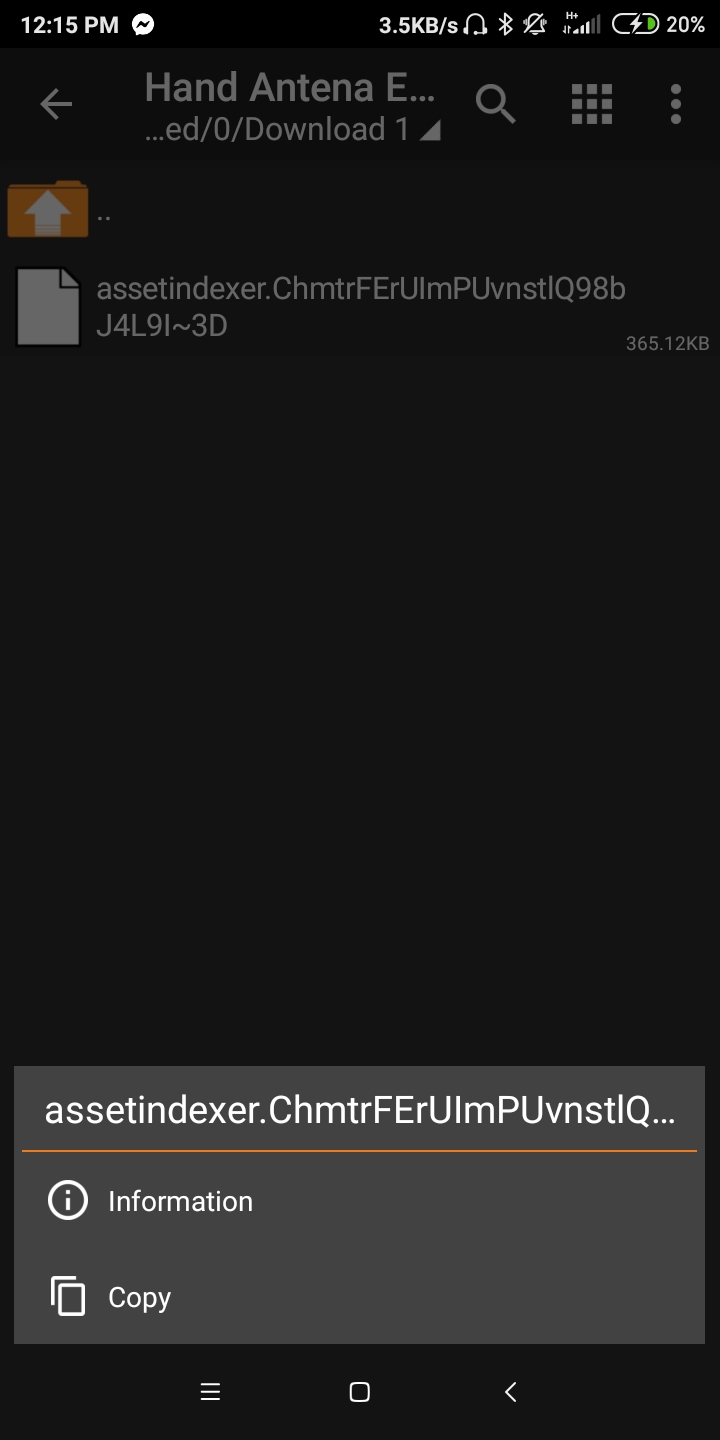
– তারপর ভিতরের file টা Long Click করে ধরেন Copy Option আসবে।
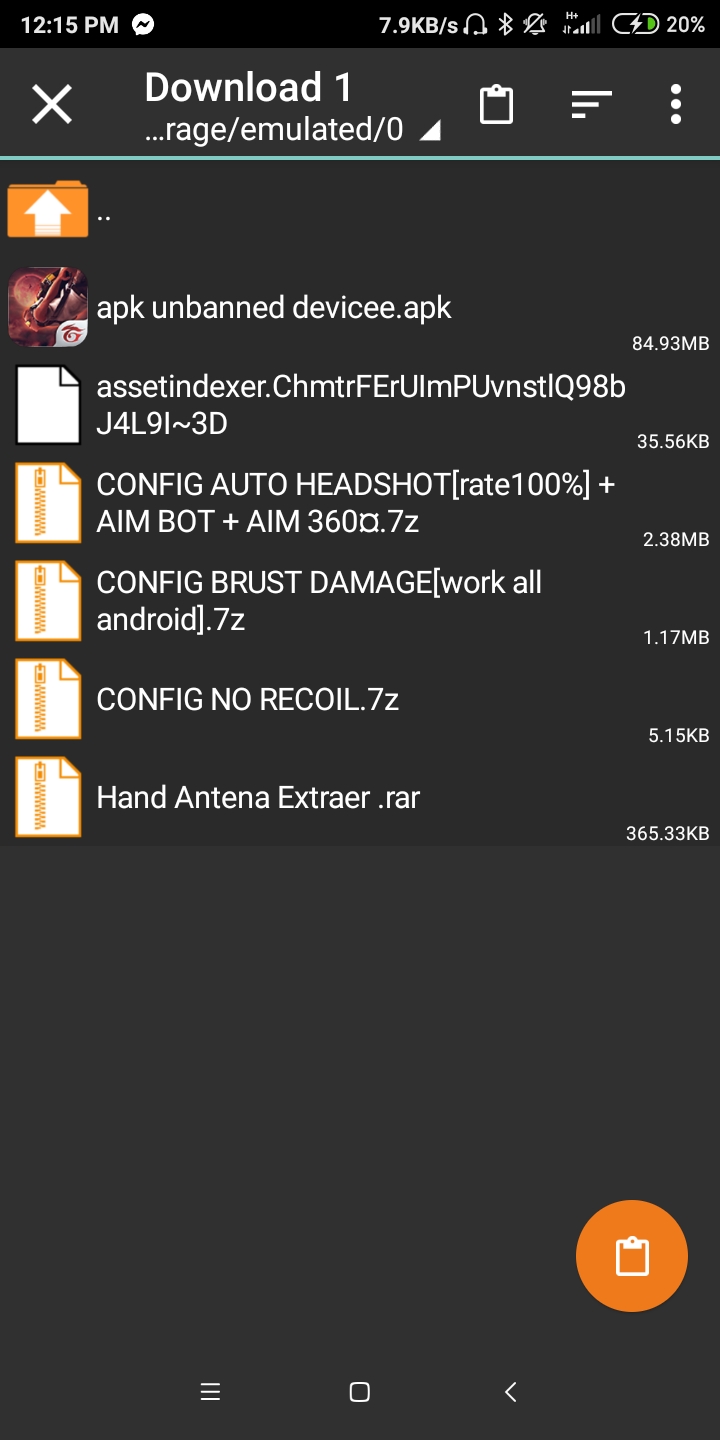
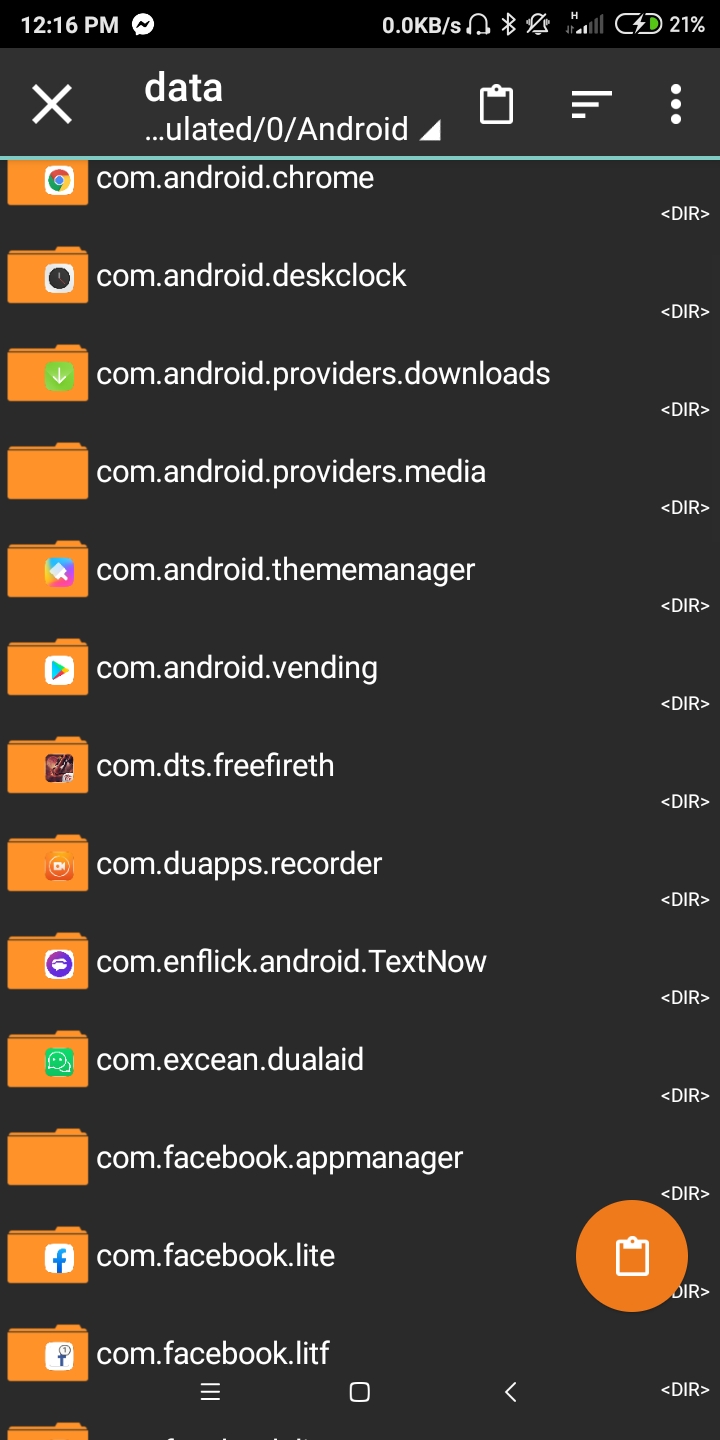
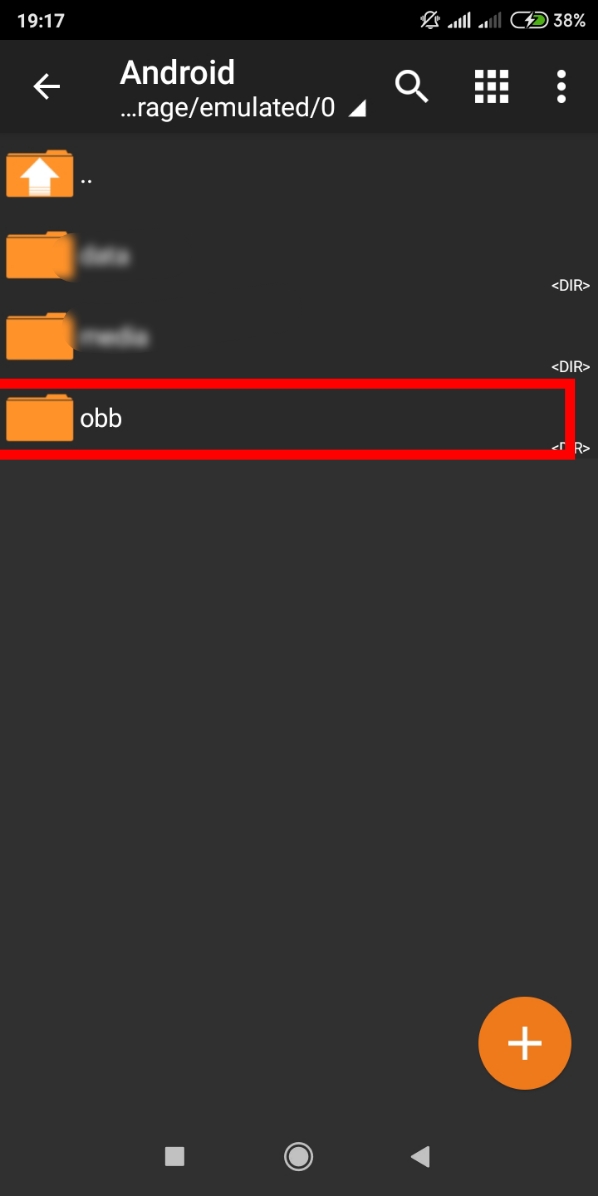
– Copy করে Android Folder এ ঢুকেন তারপর Data Folder এ ঢুকেন।
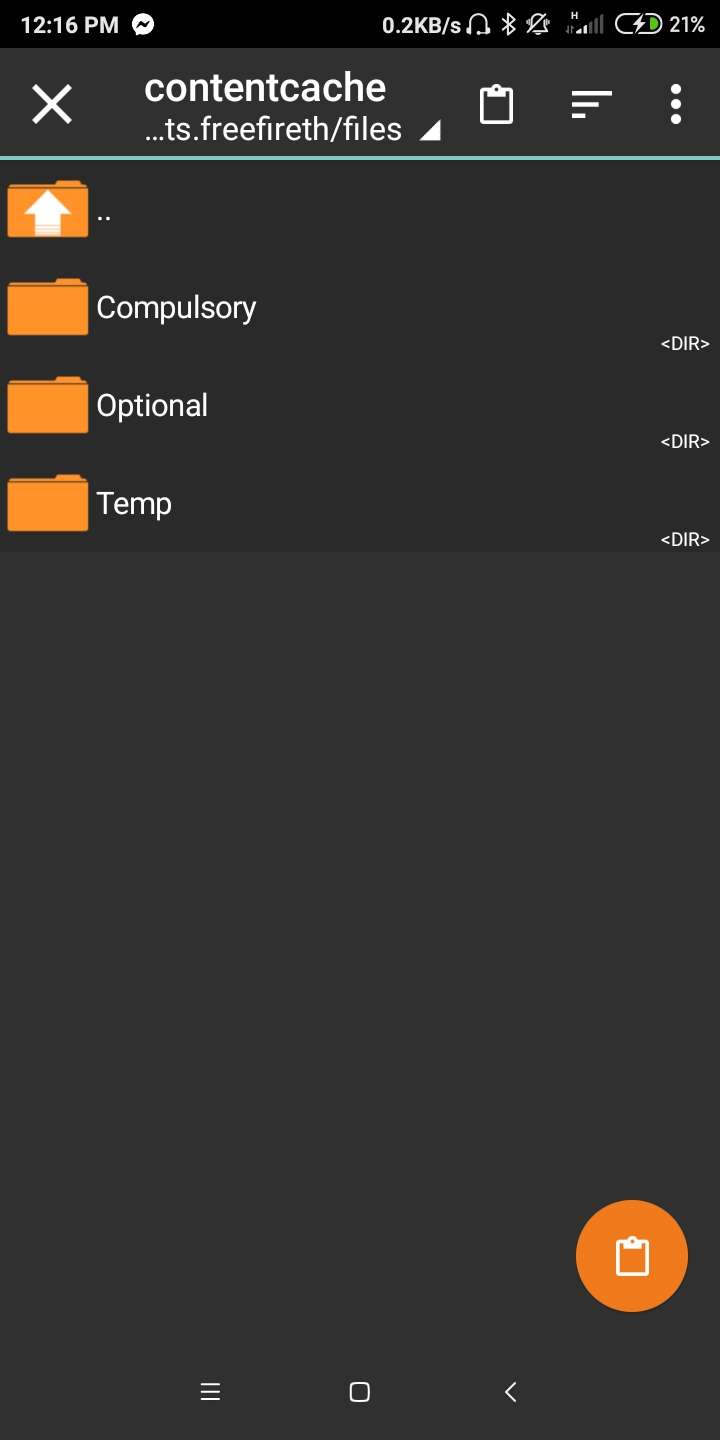
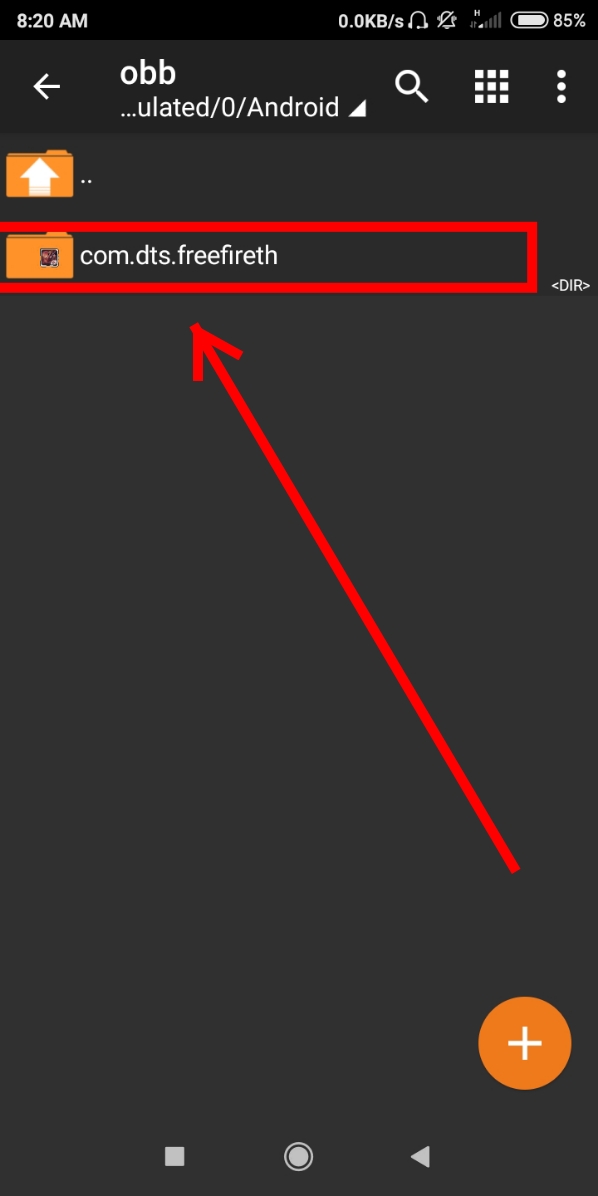
– com.dts.freefireth – Folder ঢুকেন তারপর Follow Step


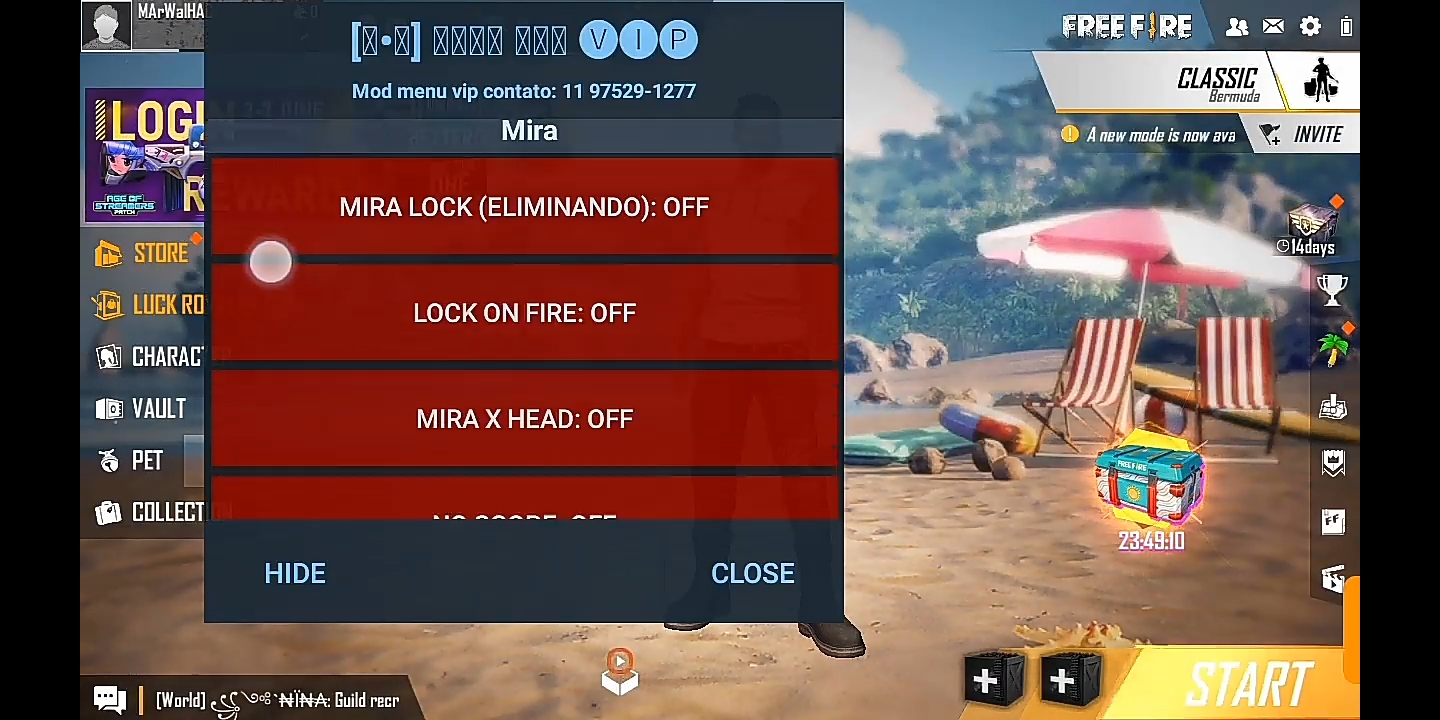
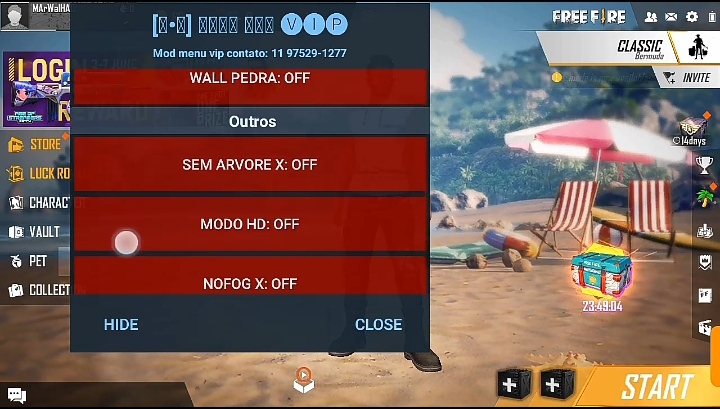
Free Fire VIP Mod Menu
Install Process নিচ থেকে সব File Download করে নিন
First Zarchiver App Open করে নিন

Android Folder Open করেন

Obb Folder

★ এখন com.dtsfreefireth

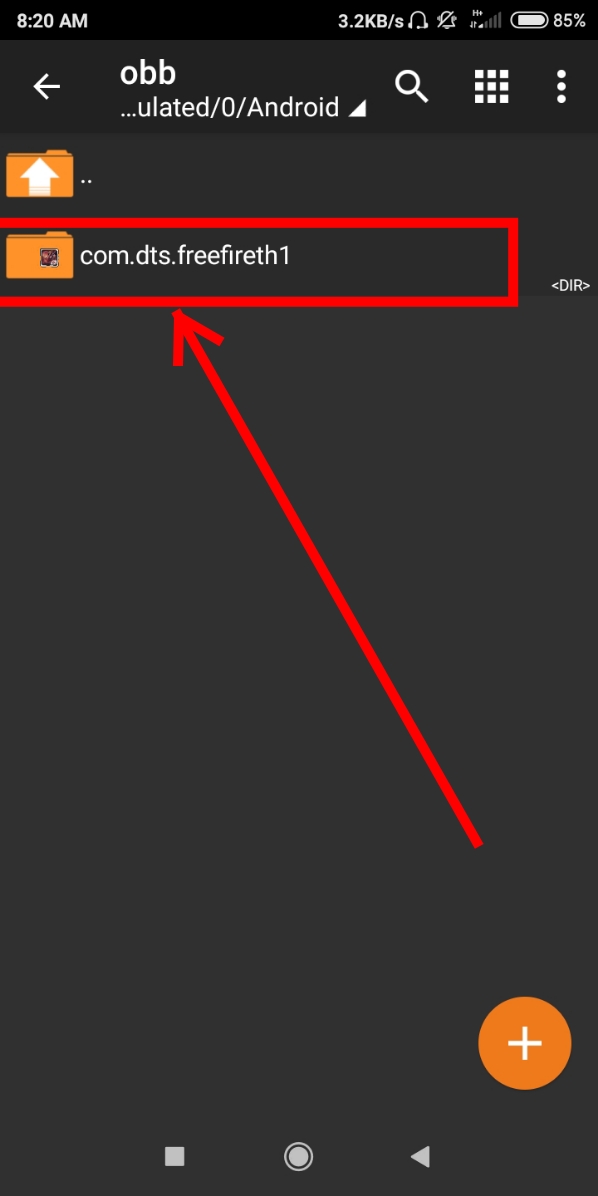
এই Folder টা Rename করে 1 + করে দিন।

–তারপর আপনার ফোনে ইনস্টল করা Free Fire apk Uninstall করে দিন
— Reall Free Fire Apk. uninstall Complete হলে com.dtsfreefireth – Folder Rename করে 1 এড করছিলেন ওই 1 কেটে আগের মতো করে নিন

> এবার নিচ থেকে vip mod menu free fire apk install করে নিন।
★ সব ঠিক ভাবে সম্পন্ন করার পর এবার China Virtual Install করে নিন।
Open করেন

Free Fire Add করেন

Add হলে Open করেন
প্রয়োজনীয় Permission Allow করেন

# নোটঃ অবশ্যই Fake account দিয়ে খেলবেন।
Id Suspended হলে আমরা কেউ দায়ী না♥
# All File Download Link
† ZArchiver :-
User Name : abc
Password : 123
New VIP Headshot Mod –
New China Virtual –
Wednesday, 1 April 2020
What is hacking?
Hacking is a process where someone enters a computer or computer network without any valid permission.
Those hackers are hackers. You know almost all of these things. We all know hacking, just hacking any web site, many hacking ideas, hacking means just computer or computer network, what is actually Not really.
There may be many types of hacking. If you use your mobile phone, land phone, car tracking, different electronics and digital devices without the legal permission, then it may be hacked. Hackers usually hack the errors of these electronics devices by hacking them.
What is the hacker?
Hacker: The person who practices hacking is called a hacker. They know all the information including system structure, operation, how it works, which will be hacking the system. Before the computer was not so prevalent, hacker was hacking the phone. Calling on the phone was called Phreaker and the process is called Phreaking. They used to hack various telecommunication systems and use it for their own needs.
There are three types of hacker :
Let's say hackers are identified with a hat or hat.
1.White hat hacker
2.Grey hat hacker
3.Black hat hacker
White hat hacker: Everyone think hacking is a bad thing, is not it? No hacking is not very bad. White hat hacker Hackers prove that hacking is not a bad thing. For example, a white hat hacker brings out a security system error, and the security mechanism of that security system tells the error quickly. Now the security system can be a computer, a computer network, a web site, a software etc.
Gray hat hacker: Gray hat hacker is a two-face snake. Explain why I am saying this now. When they remove errors in a security system, they will act like their mind. He will do what he wants at that time. If he wishes, the security mechanism of the security system can cause flaws or may see or destroy information and damage. Again it can be used for its own interests. Most Haikar Rai falls in the category.
Black hat hacker: And the most dangerous hacker is Black hat hacker. When they find out the errors of a security system, they quickly use that error for their own sake. That system is broken. Different viruses spread. In the future, the way he can enter himself again in the future. Above all, the sub-system under which system tries to access it.
Hackers are very intelligent, it is well known or everyone knows. In a very good hacker life, no bad hacking has done. But they did a hacking to trap or get rid of someone. When any of the above categories, pelabe him? He is also Grey hat hacker because his hacking depends on his wishes or thoughts.
Below, I introduce you to a few types of people
Anarchists: Anarchists are those hackers who prefer to break different computer security systems or any other system. They work to find opportunities for any target.
Crackers: Many times the harmful hacker is called cracker. Bad hackers are crackers. Their shock or profession is broken by breaking across password and creating Trojan Horses and making other harmful software. (Are you one of them? Then you are the King of Hacking) The harmful software is called Warez. They use these harmful software for their own use or sell them for their own benefit.
Script kiddies: They are not real hackers. There is no real knowledge about hacking. They are downloading or purchasing various Warez and using it after hacking.
Hackers make hacking in many ways. I'm discussing a few types of hacking
Passhing : You almost know everything about pissing. I am sharing some links below and reading these will know better and protect yourself from pissing.
Denial of Service attack: Denial of Service attack: DoS Attack is a process where hackers lose access to a network without losing any access to it. Enhanced net connection or router tariff at DoS Attack.
Trojan Horses: is a program that destroys other programs. It's all known as Virus. Using trojan horses, the other programs can easily get rid of passwords or other data by hackers.
Rogue Access Points: Hackers use Rogue Access Points to access a wireless network.
There are also many other hackers who can hacking. I want to tell them that there is no such error in your computer or network system. I'm hacker i am anti hacker My job is to prevent hacking or hackers.
Some Precise Tricks to Avoid Hacking
1. If you do not use to download or use any unfamiliar software, even if you use it as your friend (not all friends, do not believe in those who do not do it again). If a software is downloaded immediately, then you can find out about the net.
2. When you login to a site, check the address of the ticket thoroughly. Avoid logging in with links from mail anytime.
3. If you are a developer, then you must have better knowledge of security than normal user.
4. Give password more than 8 digits Through generator software, you can break the password of more digitized computer with normal computer. As long as you do not pass the password with the number of numbers. And now supports almost all the Unicode sites, so if you use any word, then use the words of the country itself, which is easy to remember. So do not worry that I'm telling you to use words. Avoid use as far as possible. Do not say the full English word.
5. And refrain from logging in to unknown sites.
Monday, 30 March 2020
Today I am sharing with you the simplest method I have found for activating Windows 10
First download the .zip file from the bottom
Activate windows 10.zip
Then after extracting the file
activate1.cmd
activate2.cmd
You will find two files with the same name.
First, right-click on the file activate1.cmd and run with Run as Administrator.
After a while, a message like windows activated will appear in the terminal.
If the activate1.cmd file does not work / Windows is not active, then right-click on the activate2.cmd file and run with Run as Administrator. Once activated with the file activate1.cmd, this file will not be run.
This way you can activate your Windows 10 operating system in a very simple way.
__________________________________________________
উইন্ডোজ ১০ এক্টিভ করার জন্য আমার দেখা সবচেয়ে সহজ মেথড টি আজ আপনাদের সাথে শেয়ার করছি
প্রথমেই নিচ থেকে .zip ফাইলটি ডাওনলোড করে নিন
Download Activate windows 10.zip
তারপর ফাইলটি extract করার পর
activate1.cmd
activate2.cmd
এরকম নামের দুটি ফাইল পাবেন।
প্রথমেই activate1.cmd ফাইলটিতে right click করে Run as administrator দিয়ে run করান।
কিছুক্ষন পর windows activated এরকম টাইপ message আসবে terminal এ।
যদি activate1.cmd ফাইলটি দিয়ে কাজ না হয় / উইন্ডোজ এক্টিভ না হয় তবে activate2.cmd ফাইলটিতে right click করে Run as administrator দিয়ে run করান, activate1.cmd ফাইলটি দিয়ে এক্টিভ হয়ে গেলে এই ফাইলটি আর রান করানো লাগবে না।
এরকম ভাবে খুব সহজ ভাবেই আপনার উইন্ডোজ ১০ অপারেটিং সিস্টেম টি এক্টিভ করে নিতে পারবেন।
Monday, 9 March 2020
VLC Streaming Overview
now you can easily stream online tv channels through VLC player .it’s simple just to install VLC player on your PC and follow these steps and enjoy watching your favourite programs on even at low speed. VLC is a simple fast and powerful media player. It plays almost everything Files, Discs, Webcams , Devices and Streams.The best thing about VLC player is that it runs on all platforms Windows, Linux, MAC OS X, Unix.Watch Free Online TV Channels In VLC Player – Guide
Step#1
Open VLC media player. If you don’t have then Install VLC player on your PC here.
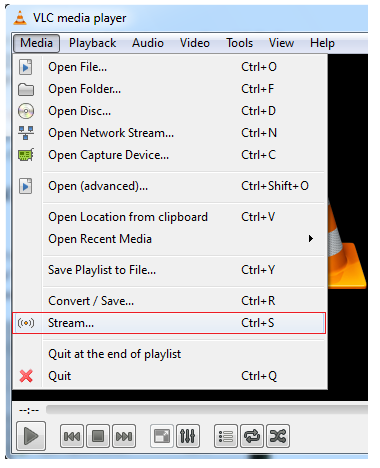
Go to the ‘MEDIA’ from MENU BAR and select ‘STREAM’.

Step#3
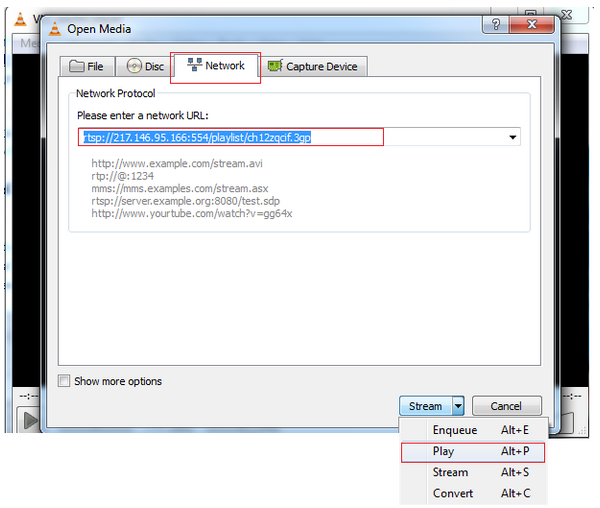
Now go to the third tab ‘NETWORK’ .Enter the URL of your favourite channel which you want to watch .For Example: URL of B4U Music channel – rtsp://217.146.95.166:554/playlist/ch12zqcif.3gp
On the right side there is ‘Stream dropdown’. Select ‘PLAY’.
Now you have learnt how to stream free online channels in VLC media player. You can get URL of your favourite TV channels easily by simply search URL of your fav channel on Google. Enjoy Watching!
Streaming URLs of Other TV Channels
I have given multiple streaming address of TV channels in a text file. This can be downloaded from below button.Let us tell you, there are numerous paid and data recovery software solutions available in the market. If you are a first timer, then you might want a tool that provides its services for free, which is quite a good deal. This is because you want to check the software skills before using it. How can you identify which one is the best software till you give it a try. Therefore, you must check it before putting your hard-earned money into it. Also, you should be seeking out for a tool that’s easy-to-use rather than trouble-to-use.
How EaseUS data recovery software works?
As soon as you open the EaseUS Data Recovery software, the screen will show you all drives including hard drives and external drives. Being the prominent provider of enjoyable user experience, EaseUS performs unbelievably fast scanning of hard drives and other storage devices, and restores all data back through its quick scan.After scanning, deleted files will appear in front of you. This will give users an opportunity to select the file which they lost accidentally. At this stage, user may browse the file name by typing the file name or if you can’t remind of that file name, you can always search for files by their format.
Select the required file and then press recover button. While restoring the files back, make sure to save it on a different partition. This would prevent you to replace the old information with the new one. The software gives full control over which data to retrieve and where the data should be located.
EaseUS free data recovery options are wrapped up into an advanced UI that is quite simple, as well as responsive. It makes sure you get all your recovered data promptly.
Once the data restoration gets completed, the software will notify you about it. Hence, it’s quite possible to retrieve your files back after emptying recycle bin, but you are required to take these few factors into account.
- Never install this software in the same drive you aim to get the deleted files back from. Or else, the software will erase your deleted file.
- Ensure to keep all your drives untouched and do not copy paste anything.
Tuesday, 3 March 2020
See How To Hack WiFi Password With Android Phone
There are many people who do not have computers at home. There are many people who do not know how to use Linux Kali. There are many people who don't know how to hack Wi-Fi passwords.How to hack Wifi ?
Now about 3 billion people use Android mobile. This article is intended for those who can use Wi-Fi for free. Hacking wi-fi is not an easy task. But I will give a simple hack tips so that even a school student can hack Wi-Fi passwords.To hack the Wi-Fi password, you need to root the phone first. Rooting is not a difficult task. This can be done using an app. The name of the app is (root checker basic). The mobile phone can be routed very easily using these apps.
The phone must have more Broadcom bcm4329 or bcm4330 set. These apps are available from Google. Not all types of phones can use this app. Some of the phones that can be used for this are:
Nexus one
Samsung S series
Desire HD
Broadcom chipset can be installed for these mobile phones. Once the app is installed it will have to be launched.
Then download the River Apps and install it. Then click on the Confirm button when the text says "You are not using it for illegal purposes".
The river will then begin scanning the apps. If you get an access point, just clicking the Wi-Fi password will be hacked.
Sunday, 1 March 2020
Build Your Own Currency Exchange Web App in ~100 lines using CRA
This tutorial describes how to create a simple currency exchange app in just about 100 lines of code using the Create React App boilerplate.
🛠️ Preparation
$ yarn create react-app rates
$ yarn start
⚓ Fetching the currencies rate
$ yarn add swr unfetch
// src/App.js
import React from "react";
import "./App.css";
import fetch from "unfetch";
const API_URL = "https://api.exchangeratesapi.io";
const fetcher = async path => {
const res = await fetch(API_URL + path);
const json = await res.json();
return json;
};
// function App...
import React from "react";
import "./App.css";
import fetch from "unfetch";
import useSWR from "swr";
// API_URL = ...
// const fetcher = ...
function App() {
const { data: currencies } = useSWR("/latest?base=EUR", fetcher);
return <div>Welcome to your Currency exchange app!</div>;
}
💄 Add the UI
$ yarn add @material-ui/core
// ...
import {
Container,
Paper,
Grid,
TextField,
Select,
MenuItem
} from "@material-ui/core";
// ...
function App() {
const { data: currencies } = useSWR("/latest?base=EUR", fetcher);
if (!currencies) {
return null;
}
return (
<Container className="currency-exchange-container" fixed>
<h1>Currency exchange</h1>
<Paper
className="currency-exchange-paper"
variant="outlined"
elavation={1}
>
<Grid container spacing={3}>
<Grid item xs={6}>
<TextField type="number" />
</Grid>
<Grid item xs={6}>
<TextField type="number" />
</Grid>
<Grid item xs={6}>
<Select>
<MenuItem value={"EUR"}>EUR</MenuItem>
{Object.keys(currencies.rates).map((rate, key) => (
<MenuItem key={key} value={rate}>
{rate}
</MenuItem>
))}
</Select>
</Grid>
<Grid item xs={6}>
<Select>
<MenuItem value={"EUR"}>EUR</MenuItem>
{Object.keys(currencies.rates).map((rate, key) => (
<MenuItem key={key} value={rate}>
{rate}
</MenuItem>
))}
</Select>
</Grid>
</Grid>
</Paper>
</Container>
);
}
<Select>
<MenuItem value={"EUR"}>EUR</MenuItem>
{Object.keys(currencies.rates).map((rate, key) => (
<MenuItem key={key} value={rate}>
{rate}
</MenuItem>
))}
</Select>
if (!currencies) {
return null;
}
h1 {
font-weight: 300;
color: #636363;
margin-bottom: 3rem;
}
.currency-exchange-container {
display: flex;
flex-direction: column;
align-items: center;
justify-content: center;
height: 100vh;
}
.currency-exchange-paper {
max-width: 350px;
padding: 30px 30px 40px 30px;
}
.MuiInput-root {
width: 100%;
}
⚙️ Add logic
function App() {
const { data: currencies } = useSWR("/latest?base=EUR", fetcher);
const [fromValue, setFromValue] = useState(1);
const [toValue, setToValue] = useState(1);
const [fromCurrency, setFromCurrency] = useState("EUR");
const [toCurrency, setToCurrency] = useState("EUR");
const handleFromCurrencyChange = e => {
setFromCurrency(e.target.value);
};
const handleToCurrencyChange = e => {
setToCurrency(e.target.value);
};
const handleFromValueChange = e => {
setFromValue(parseFloat(e.target.value));
};
const handleToValueChange = e => {
setToValue(parseFloat(e.target.value));
};
if (!currencies) {
return null;
}
return (
<Container className="currency-exchange-container" fixed>
<h1>Currency exchange</h1>
<Paper
className="currency-exchange-paper"
variant="outlined"
elavation={1}
>
<Grid container spacing={3}>
<Grid item xs={6}>
<TextField
type="number"
value={fromValue}
onChange={handleFromValueChange}
/>
</Grid>
<Grid item xs={6}>
<TextField
type="number"
value={toValue}
onChange={handleToValueChange}
/>
</Grid>
<Grid item xs={6}>
<Select value={fromCurrency} onChange={handleFromCurrencyChange}>
<MenuItem value={"EUR"}>EUR</MenuItem>
{Object.keys(currencies.rates).map((rate, key) => (
<MenuItem key={key} value={rate}>
{rate}
</MenuItem>
))}
</Select>
</Grid>
<Grid item xs={6}>
<Select value={toCurrency} onChange={handleToCurrencyChange}>
<MenuItem value={"EUR"}>EUR</MenuItem>
{Object.keys(currencies.rates).map((rate, key) => (
<MenuItem key={key} value={rate}>
{rate}
</MenuItem>
))}
</Select>
</Grid>
</Grid>
</Paper>
</Container>
);
}
const convertFromTo = () => {
const fromRate =
fromCurrency === "EUR" ? 1 : currencies.rates[fromCurrency];
const valueInEur = fromValue / fromRate;
const toRate = toCurrency === "EUR" ? 1 : currencies.rates[toCurrency];
setToValue(valueInEur * toRate);
};
const convertToFrom = () => {
const toRate = toCurrency === "EUR" ? 1 : currencies.rates[toCurrency];
const valueInEur = toValue / toRate;
const fromRate =
fromCurrency === "EUR" ? 1 : currencies.rates[fromCurrency];
setFromValue(valueInEur * fromRate);
};
useEffect(() => {
convertFromTo();
}, [fromValue, toCurrency]);
useEffect(() => {
convertToFrom();
}, [toValue, fromCurrency]);
import React, { useState, useEffect } from "react";
import "./App.css";
import fetch from "unfetch";
import useSWR from "swr";
import {
Container,
Paper,
Grid,
TextField,
Select,
MenuItem
} from "@material-ui/core";
const API_URL = "https://api.exchangeratesapi.io";
const fetcher = async path => {
const res = await fetch(API_URL + path);
const json = await res.json();
return json;
};
function App() {
const { data: currencies } = useSWR("/latest?base=EUR", fetcher);
const [fromValue, setFromValue] = useState(1);
const [toValue, setToValue] = useState(1);
const [fromCurrency, setFromCurrency] = useState("EUR");
const [toCurrency, setToCurrency] = useState("EUR");
const handleFromCurrencyChange = e => {
setFromCurrency(e.target.value);
};
const handleToCurrencyChange = e => {
setToCurrency(e.target.value);
};
const handleFromValueChange = e => {
setFromValue(parseFloat(e.target.value));
};
const handleToValueChange = e => {
setToValue(parseFloat(e.target.value));
};
const convertFromTo = () => {
const fromRate =
fromCurrency === "EUR" ? 1 : currencies.rates[fromCurrency];
const valueInEur = fromValue / fromRate;
const toRate = toCurrency === "EUR" ? 1 : currencies.rates[toCurrency];
setToValue(valueInEur * toRate);
};
const convertToFrom = () => {
const toRate = toCurrency === "EUR" ? 1 : currencies.rates[toCurrency];
const valueInEur = toValue / toRate;
const fromRate =
fromCurrency === "EUR" ? 1 : currencies.rates[fromCurrency];
setFromValue(valueInEur * fromRate);
};
useEffect(() => {
convertFromTo();
}, [fromValue, toCurrency]);
useEffect(() => {
convertToFrom();
}, [toValue, fromCurrency]);
if (!currencies) {
return null;
}
return (
<Container className="currency-exchange-container" fixed>
<h1>Currency exchange</h1>
<Paper
className="currency-exchange-paper"
variant="outlined"
elavation={1}
>
<Grid container spacing={3}>
<Grid item xs={6}>
<TextField
type="number"
value={fromValue}
onChange={handleFromValueChange}
/>
</Grid>
<Grid item xs={6}>
<TextField
type="number"
value={toValue}
onChange={handleToValueChange}
/>
</Grid>
<Grid item xs={6}>
<Select value={fromCurrency} onChange={handleFromCurrencyChange}>
<MenuItem value={"EUR"}>EUR</MenuItem>
{Object.keys(currencies.rates).map((rate, key) => (
<MenuItem key={key} value={rate}>
{rate}
</MenuItem>
))}
</Select>
</Grid>
<Grid item xs={6}>
<Select value={toCurrency} onChange={handleToCurrencyChange}>
<MenuItem value={"EUR"}>EUR</MenuItem>
{Object.keys(currencies.rates).map((rate, key) => (
<MenuItem key={key} value={rate}>
{rate}
</MenuItem>
))}
</Select>
</Grid>
</Grid>
</Paper>
</Container>
);
}
export default App;
✨ Finished!
Sunday, 23 February 2020
Whenever someone hacks the phone while listening to the surroundings, then the whole offline without the Internet
We have a lot of friends who try to be good with us and try to bash at the time when we get to the eye.
Using today's trick, you can choose which bash you want to give.
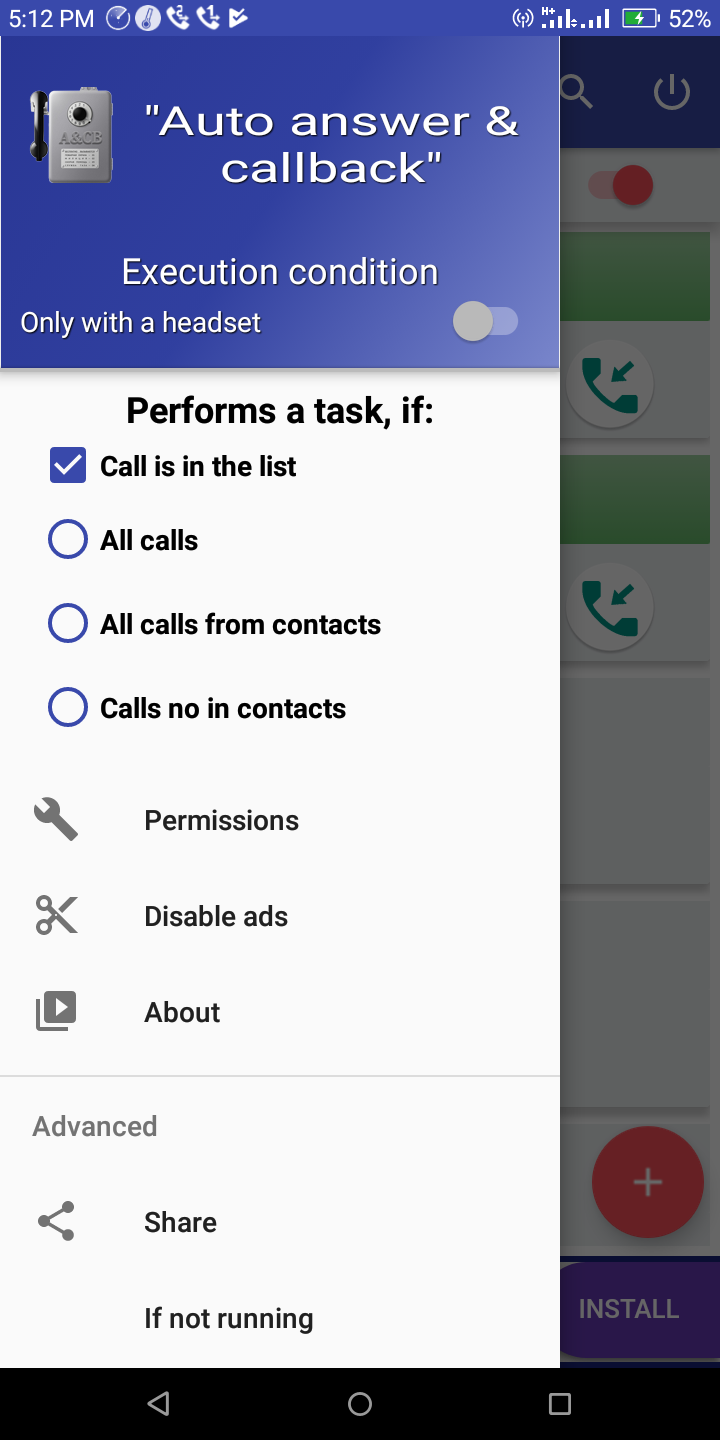
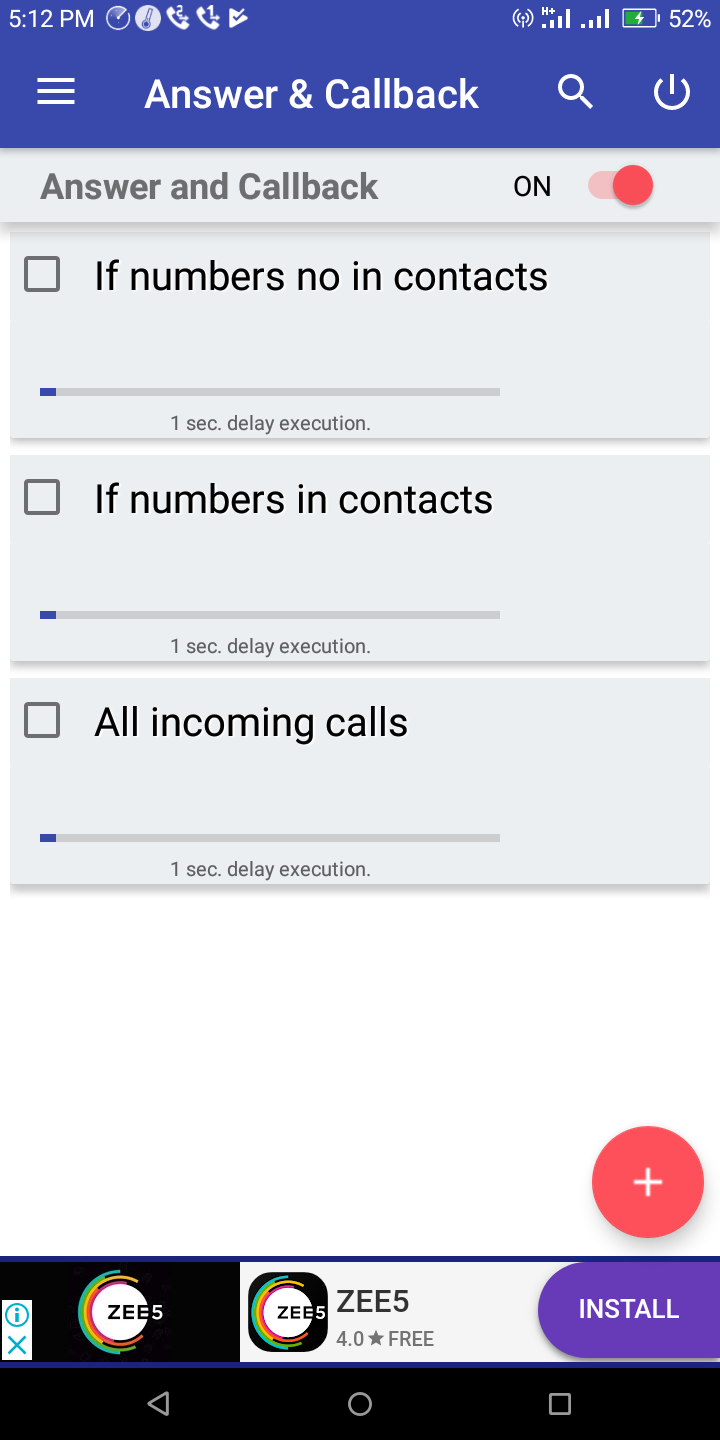
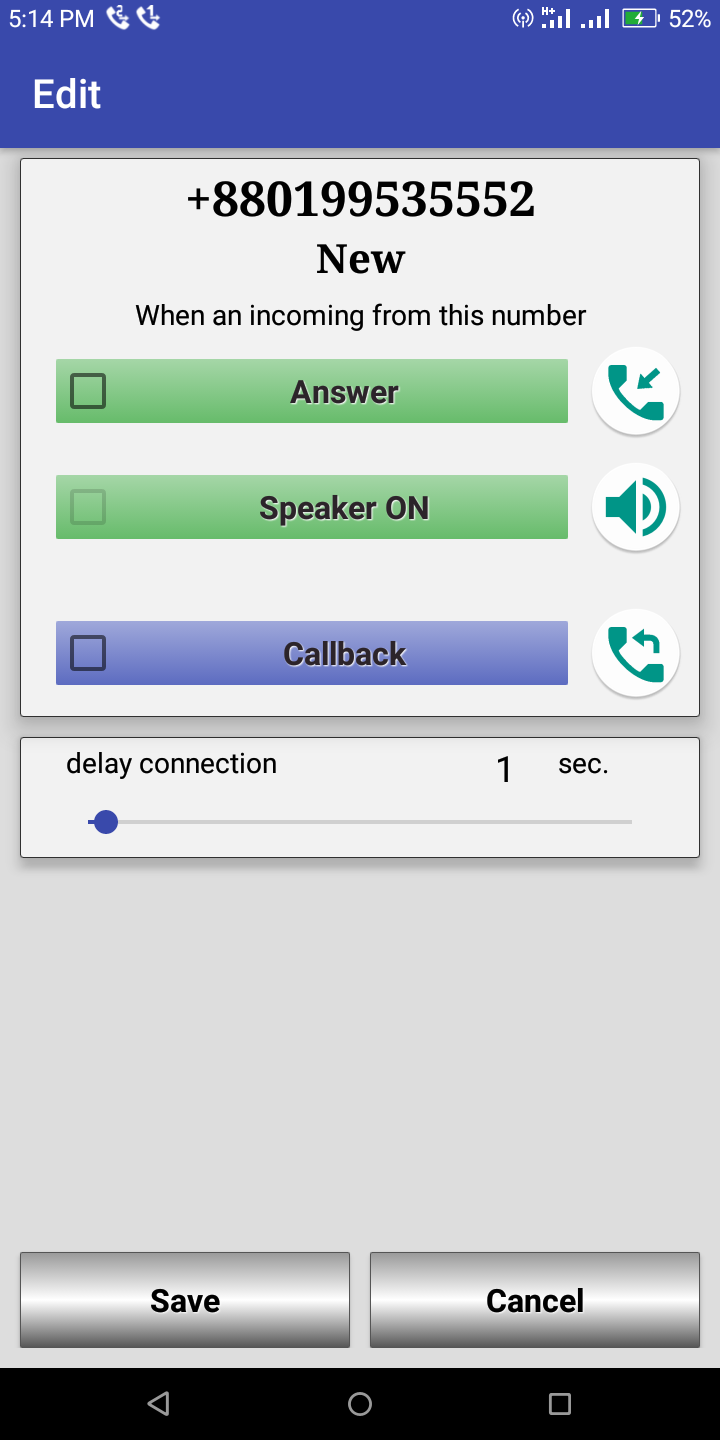
We will do this through a small app
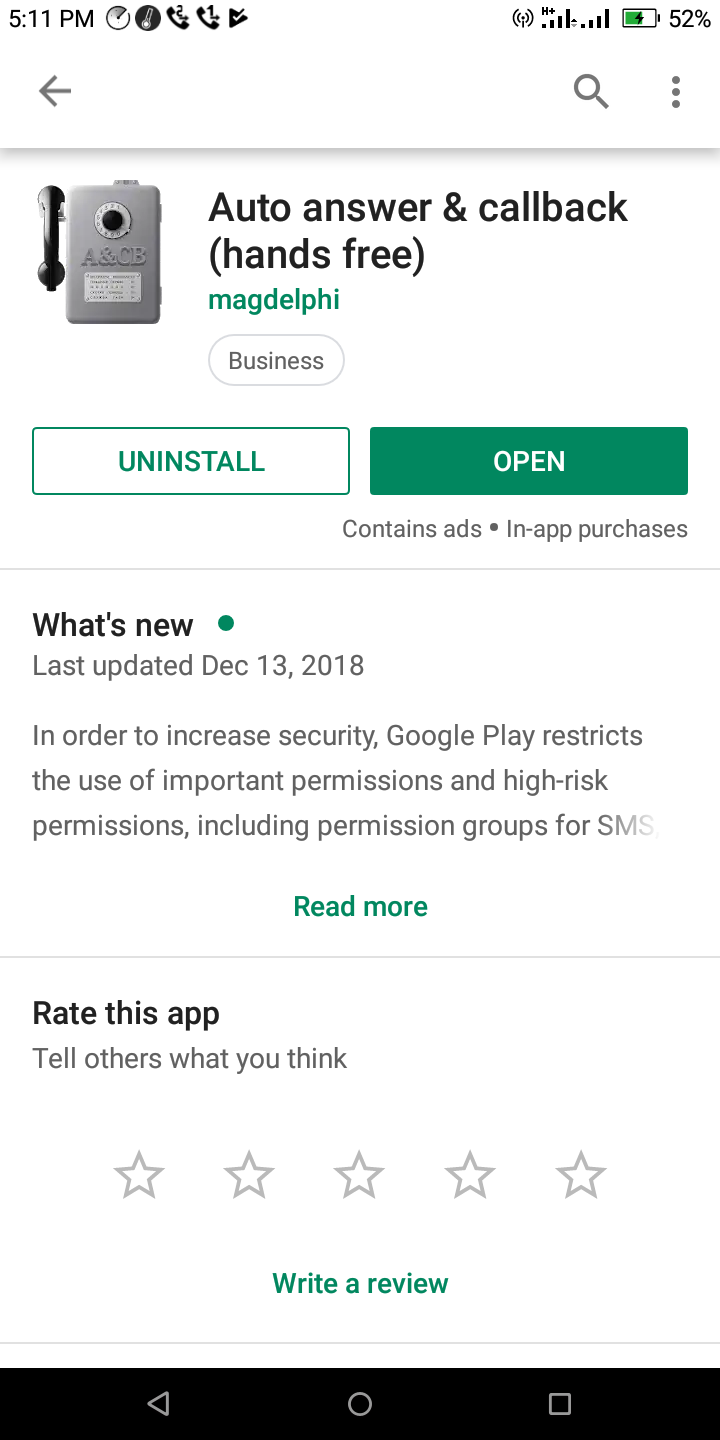
Basically this is an Auto Receiver App.
First install the phone you want to hear from.
And since the calls from other numbers are not receivable, they will not understand it.